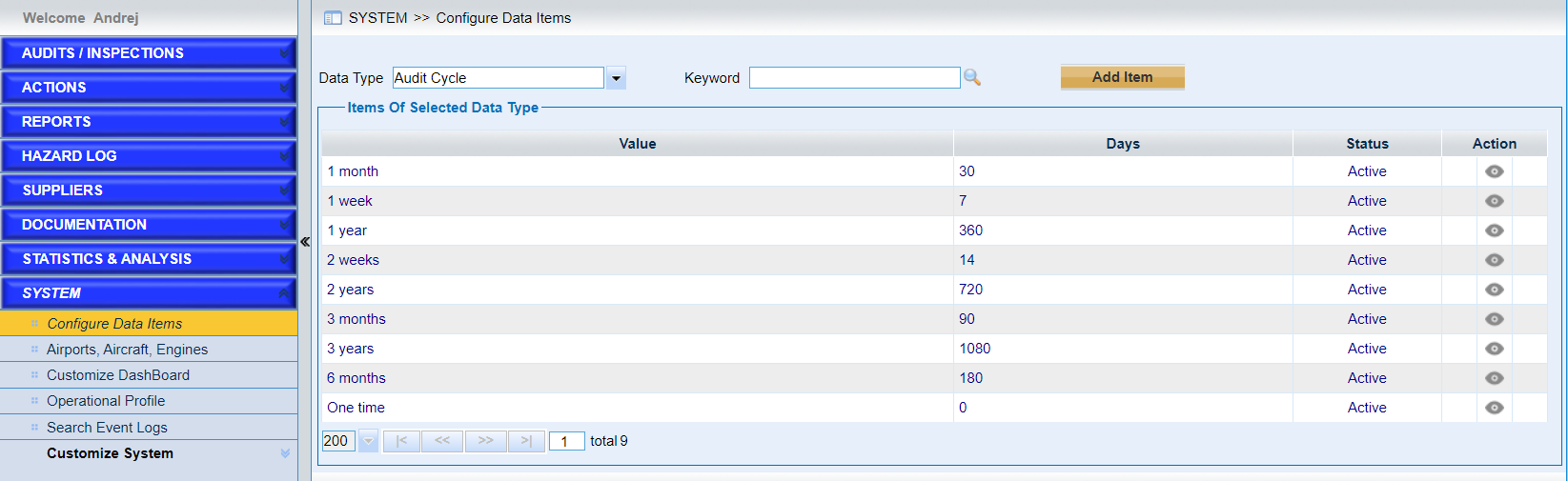
Click the link “Configure Data Items” in the left navigation menu and the following screen will be displayed. Here “Audit Cycle“ is taken as an example.
Choose “Audit Cycle” in the drop-down list of “Data Type” and the following screen will be displayed. Open eye (grey color) shows the items are visible and crossed eye (one red line) for the hidden items.
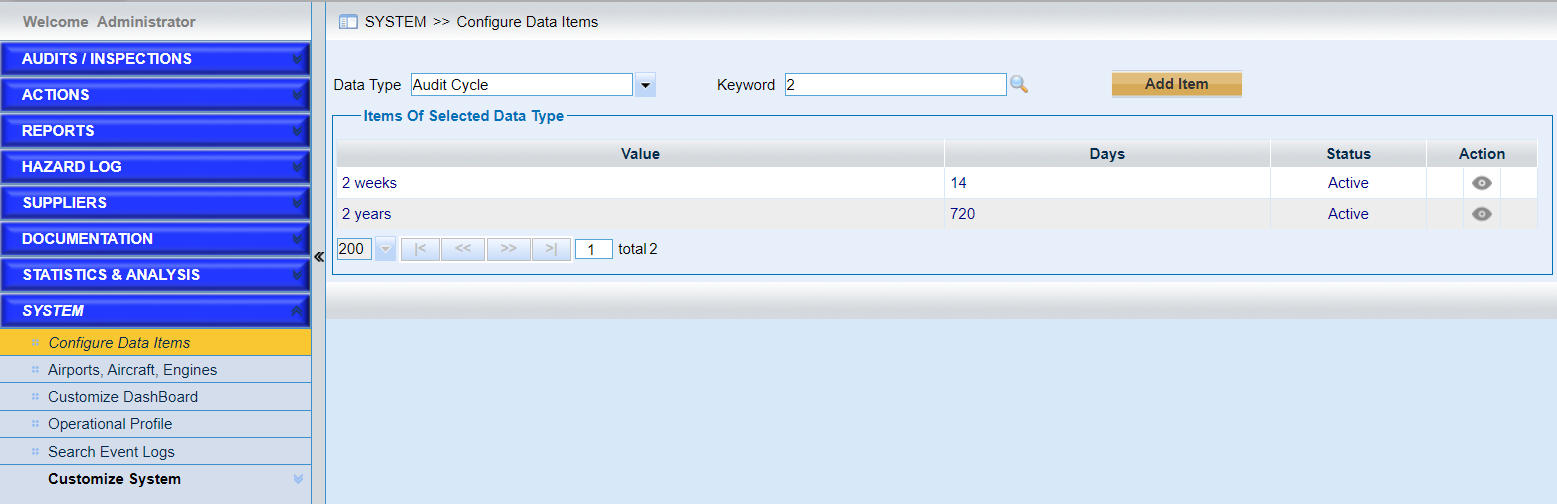
•Quick search with keywords.
Input the keyword and click the icon  to search the items.
Note |
The preloaded values provided by IATA are displayed with dark blue color. These values can only be deleted except for the Audit Cycle, Hazard Cycle and Type of Operation. |
•Click the button “Add Item” to add new items. As the following screen shows.
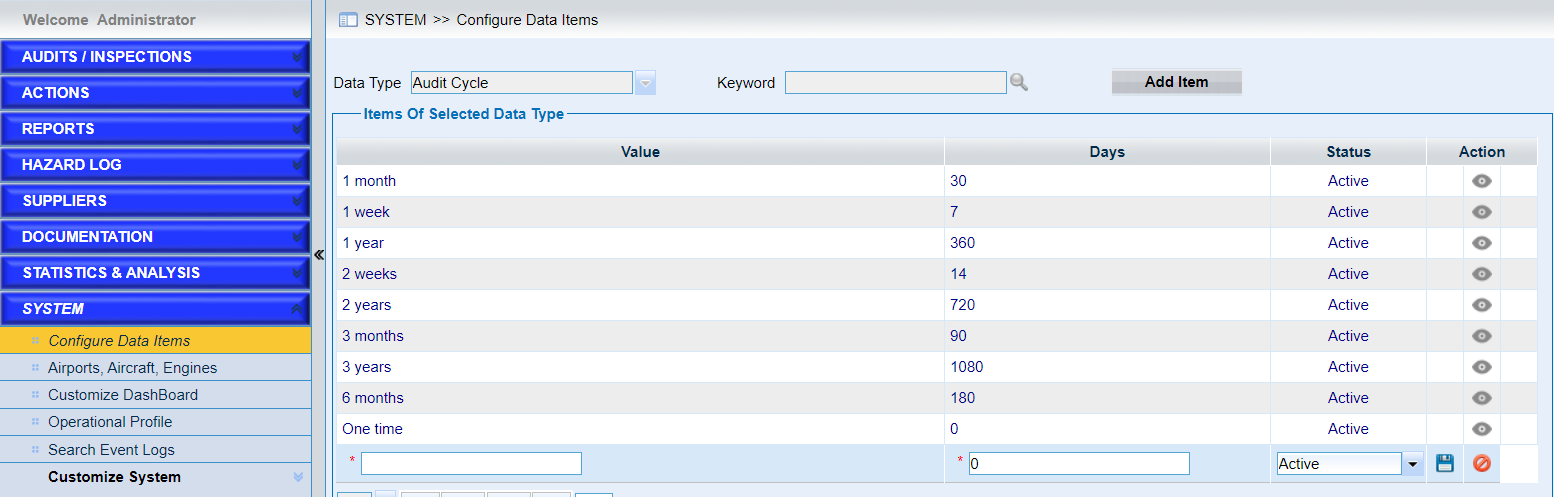
➢Input the information to create a new cycle.
➢Click the icon  to save the new cycle.
➢Click the icon  to cancel the operation to add a new cycle.
•Search Results. As the following screen shows.
➢Click the icon  to modify one of the items in the list.
➢Click the icon  to delete one of the items in the list.