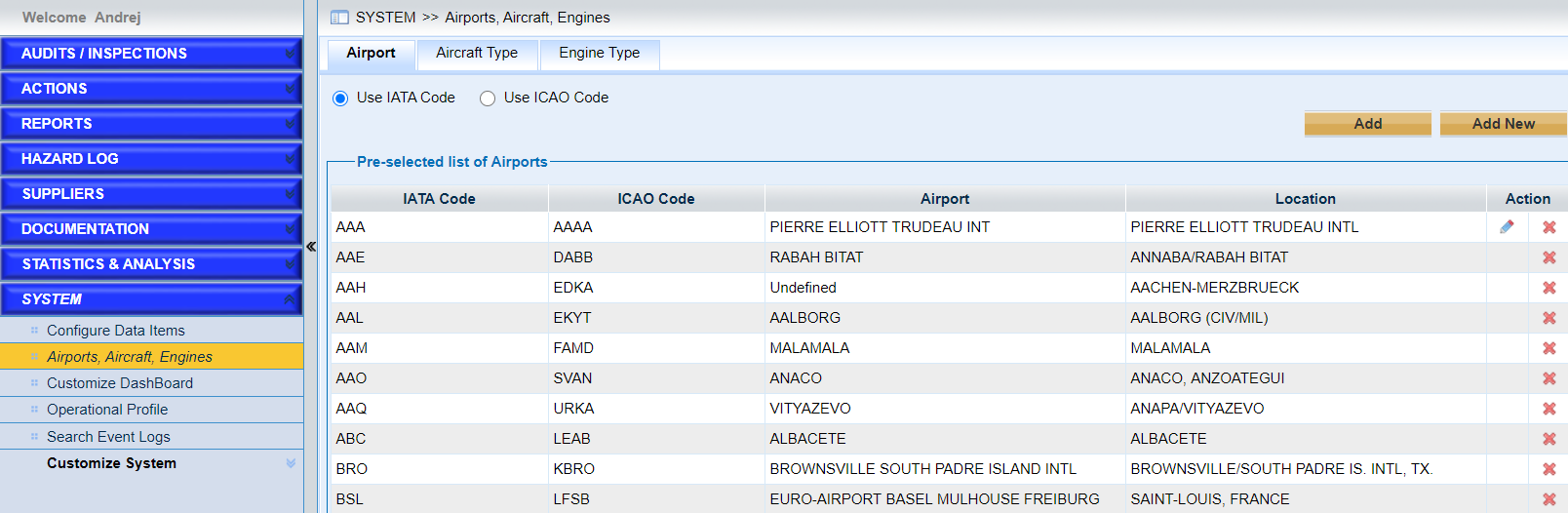
Click the link “Airports, Aircraft, Engines” in the left navigation menu and the following screen will be displayed.
Tick the checkbox to choose use IATA code or use ICAO code.
•Add one airport
Click the button “Add” in the “Airport” sub-form and a window will pop up. As the following screen shows,
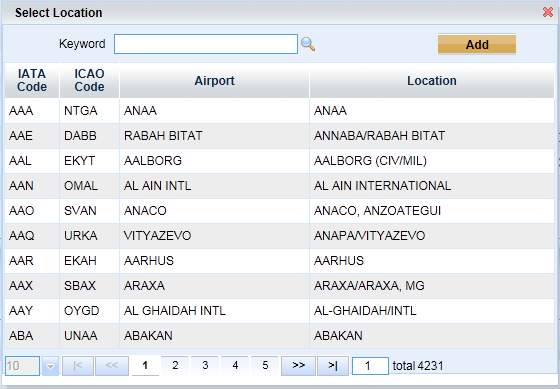
➢Input the keyword and click the icon  to search the airport.
➢Choose one airport by double clicking one item, or clicking the “Add” button.
Note |
“N/A” can be chosen if there is no airport is provided. |
•Add aircraft types
Click the button “Add” in the “Aircraft Type” sub-form and a window will pop up. As the following screen shows,
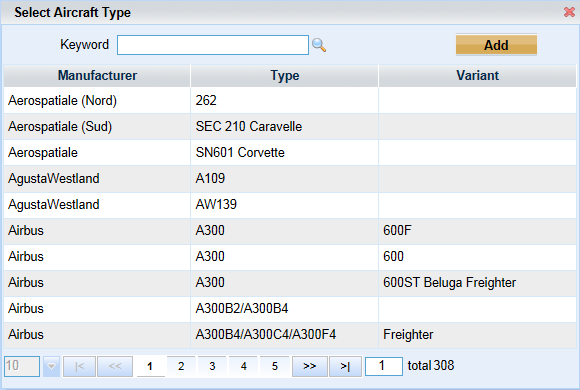
➢Input the keyword and click the icon to search the aircraft type.
➢Choose one aircraft type by double clicking one item, or clicking the “Add” button.
•Add engine type
Click the button “Add” in the “Engine Type” sub-form and a window will pop up. As the following screen shows,

➢Input the keyword and click the icon to search the engine type.
➢Choose one engine type by double clicking one item, or clicking the “Add” button.