IMX system provides the function to reset password if the password is forgotten.
Before you start to find password, please make sure that
• Email server is configured so that emails can be sent.
• Personal email address is filled out in users profile so that notifications can be received.
Follow the steps below to reset password.
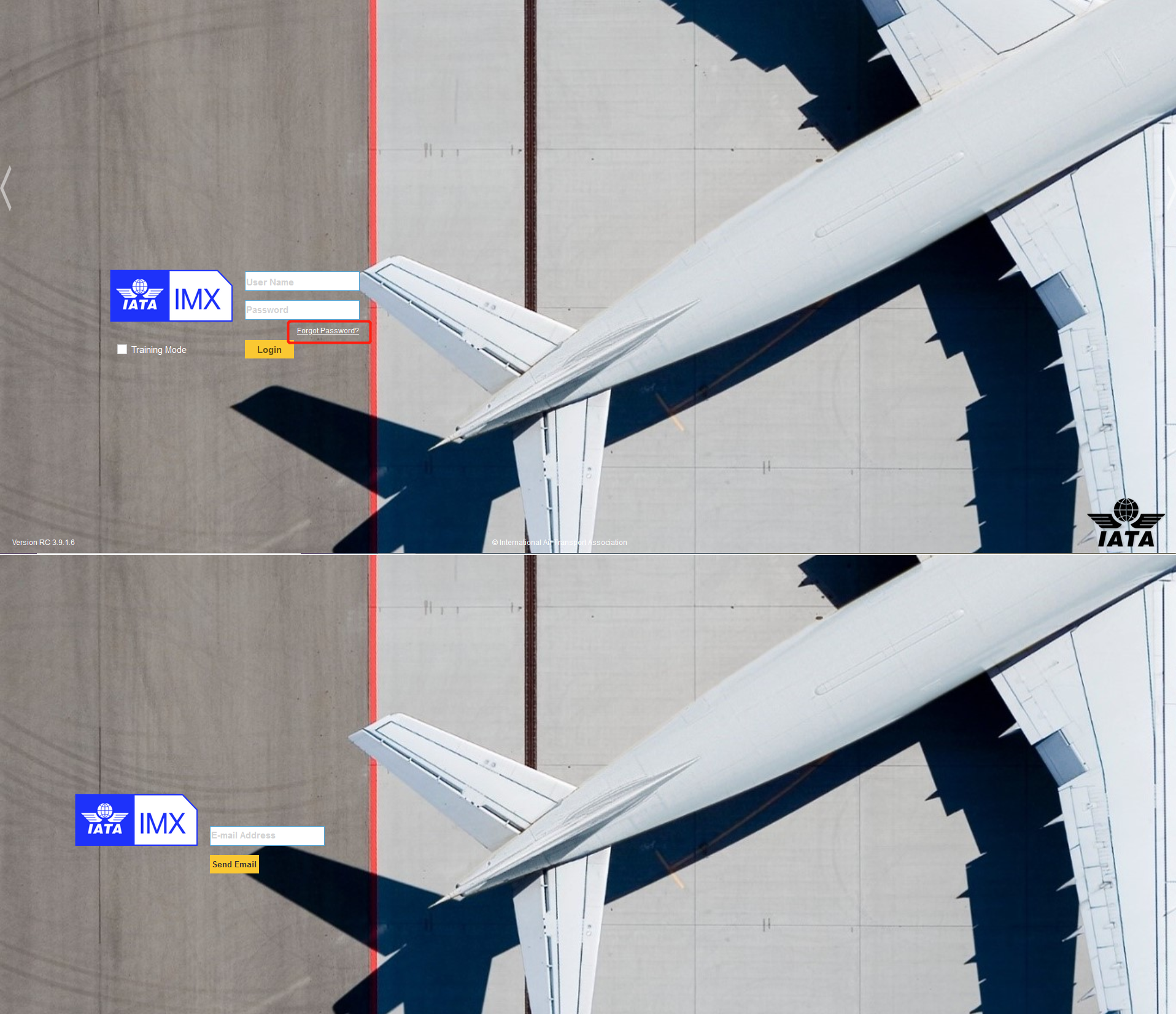
1.Click the link “forgot password” in home page.
2.Enter your email address and click “Send Email” button..
As the screen below shows,
If the email is sent successfully,
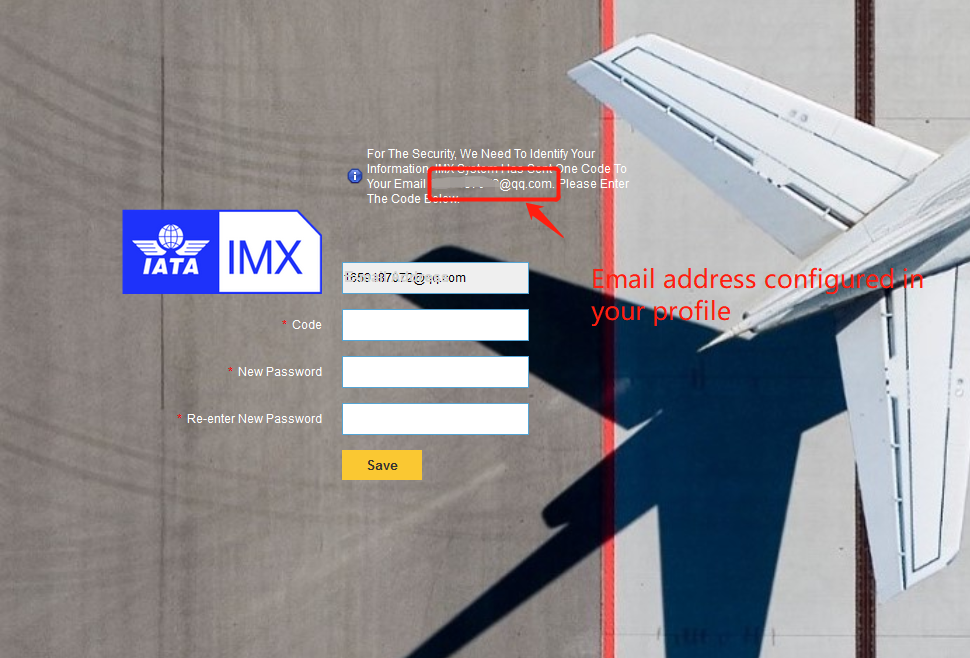
3.Login in the email box and find the email sent by IMX system.
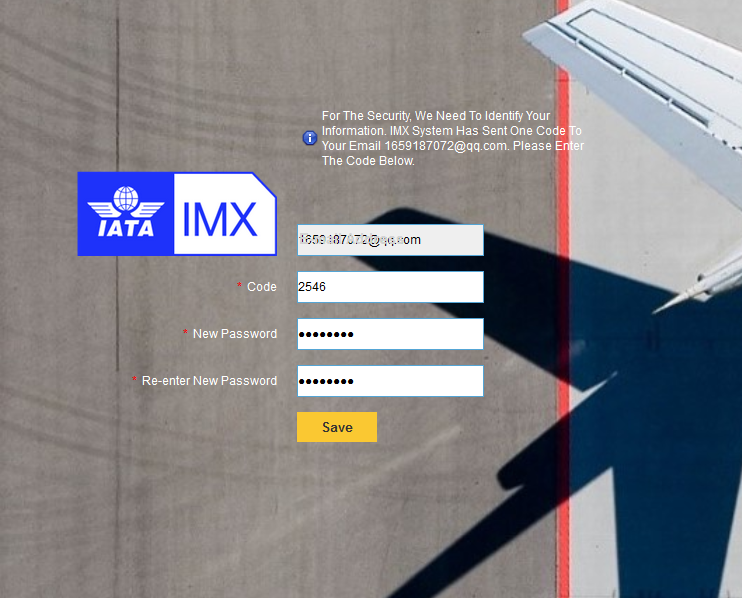
4.Paste the code sent by IMX and enter new password..
As the screen below shows,
5.Navigate to the home page and login IMX again with new password.