Follow the steps below to use the training mode,
1.Login IMX with administrator role.
2.Click the link “Manage Privileges” in the left navigation menu and choose “Administrator” in the access level dropdown list.
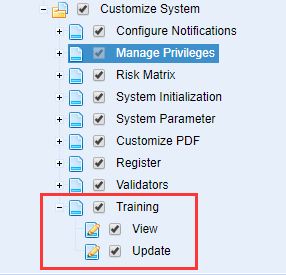
3.Make sure that the privilege “Training” is configured.
As the screen below shows,
4.Click the “System Initialization” link in the left navigation menu.
The link “Training” is activated.
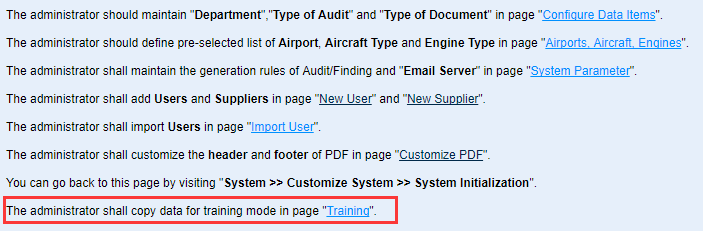
5.Click the link “Training”.
6.Click the “Copy Data” button to copy production data to training environment.
Once the button is clicked, all the production data will be copied to training environment.
When the system alters “Successfully backed up training data!”, congratulations,please start to use training mode.
Click the “Check Status” button to check the status of copying data.
7.Logout IMX system.
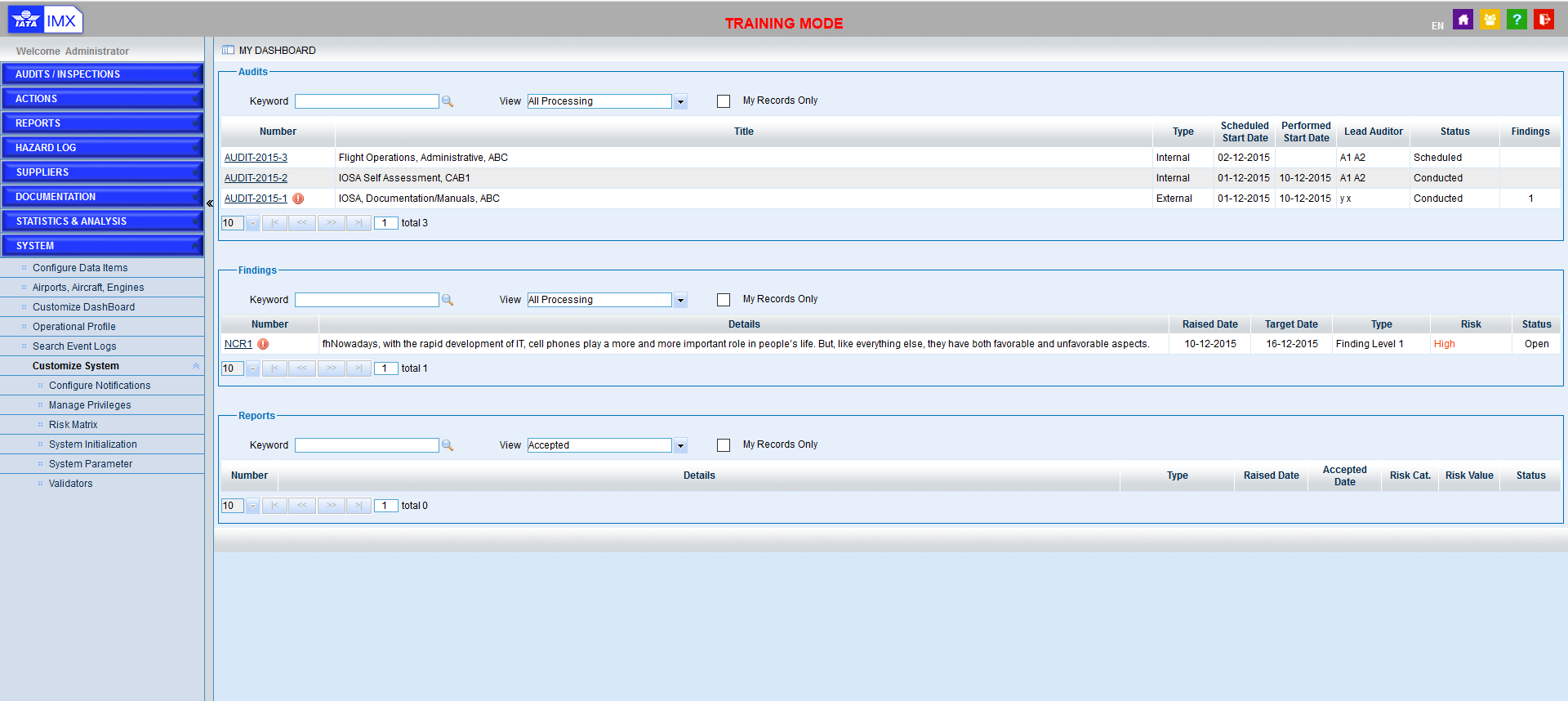
8.Enter the account and password which are the same as those in production environment, select the airline, and tick the checkbox “Training”, to login the training mode.
As the screen below shows,
Note |
Please refer to “Training Mode is not displayed” if the mark “Training Mode” is not displayed in your browser after training mode is activated. |