Click the link “System Parameter” in the left navigation menu and the following screen will be displayed.
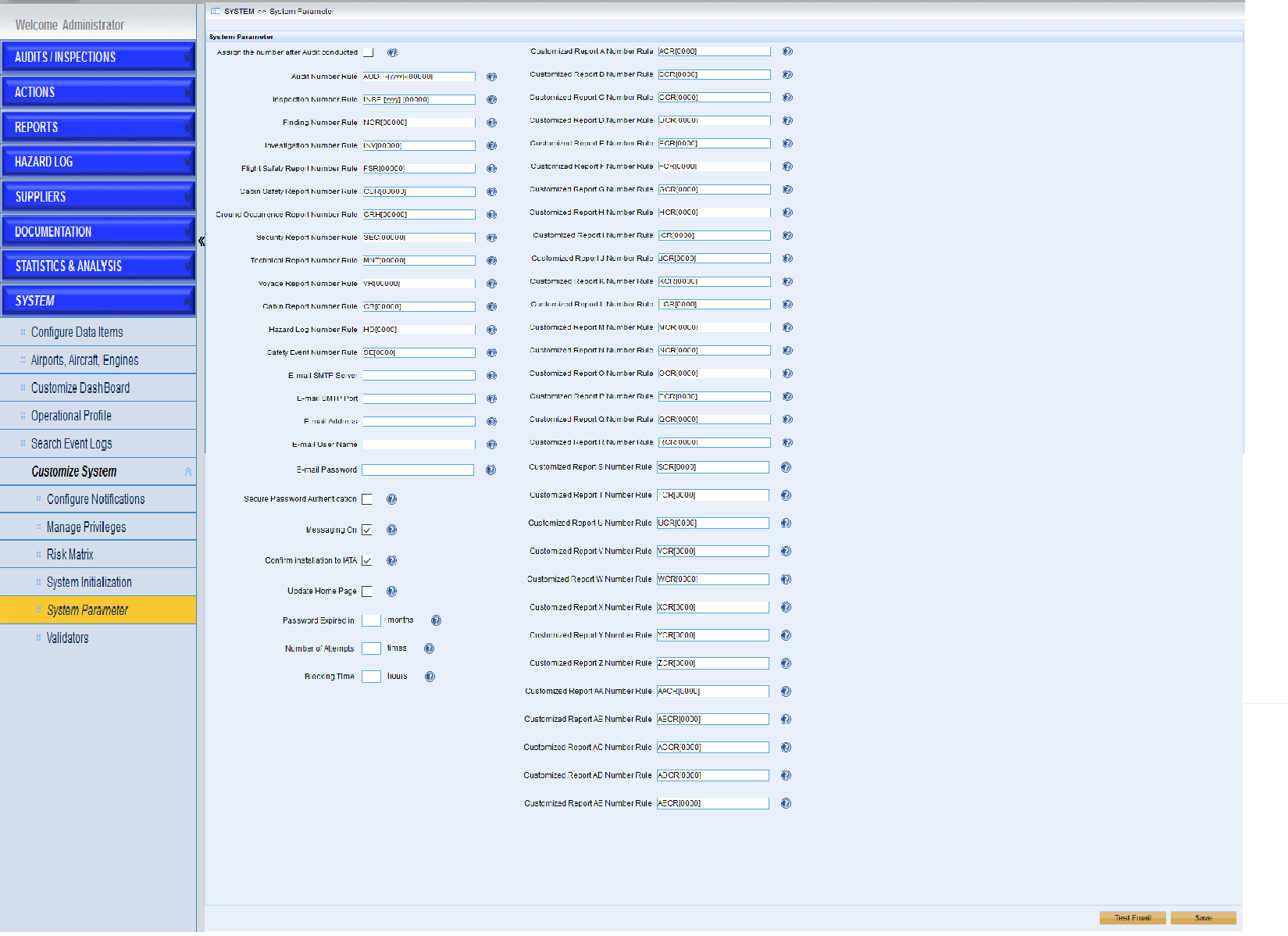
This page helps users to configure the rules of audit number, inspection number, finding number and investigation number and so on.
Here are the introductions of the page.
•Configure the audit number after conducted
If the checkbox ‘Assign the number after Audit conducted’ is ticked, the audit number will be generated only after the audit is conducted.
•Configure the number rules
User can customize the number rules for records in IMX system. Please click the icon  to get more information.
•Configure the email server
➢Enter the email server information.
➢Click the “Test Email” button to check if the configuration is correct or not.
➢Tick the “Message On” to enable IMX system to send email notifications or untick it to disable the email notifications.
•Confirm installation to IATA
If ticked, the customer name, machine id and installation or upgrade status will be sent to IATA automatically
•Update Home Page
If ticked, the advertisements listed in the login page will be updated automatically once new advertisements were provided by IATA
•Configure the password mechanism
➢Password Expired Period
Click the checkbox ‘Never’ or specify the period when password will be expired.
➢Number of Attempts
Click the checkbox ‘Never’ or specify the number of attempts to login IMX.
If the number of attempts is specified,the blocking time need to be specified at the same time.
•Click the “Save” button to save the changes.