The dashboard or starting page configured by users will be displayed after users log in.
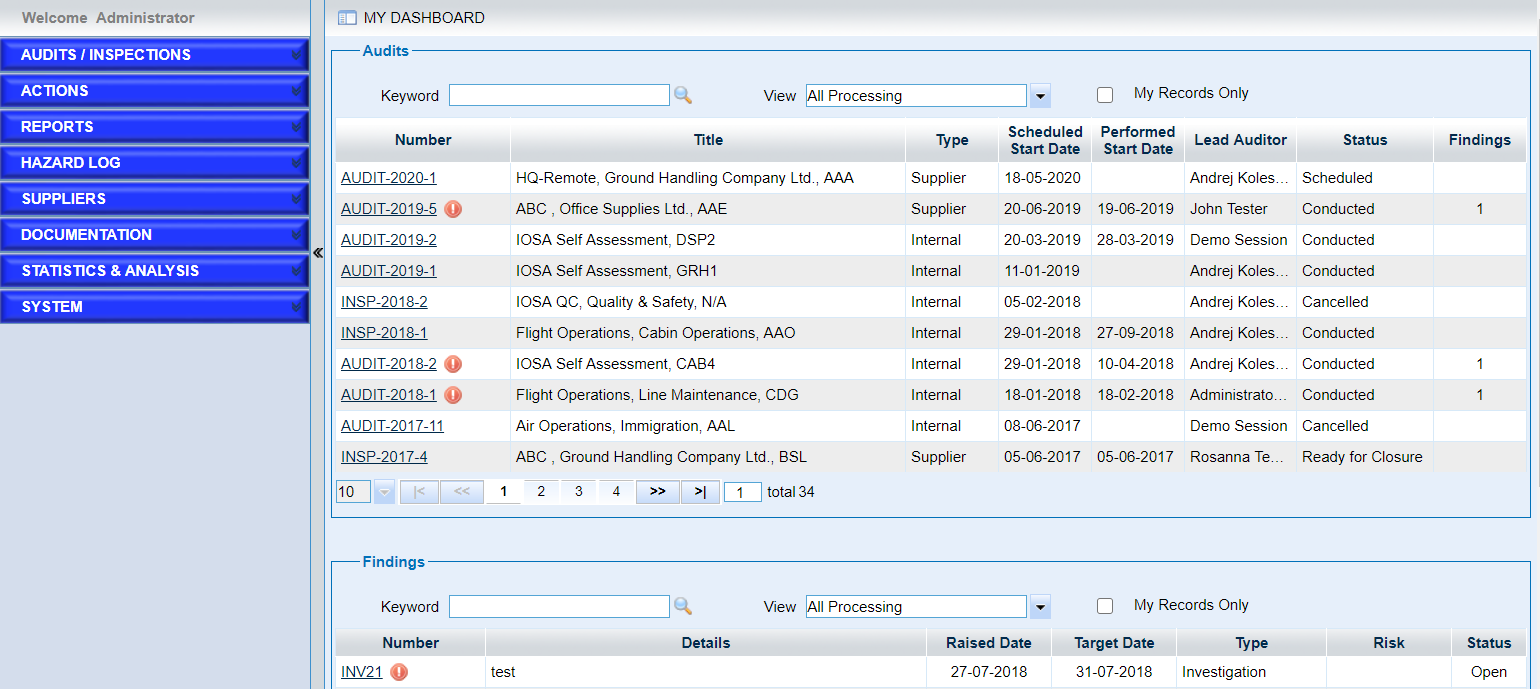
As the screen “My Dashboard” above shows, we can see that
•The welcome tip is listed above the left navigation.
•The links in the left navigation bar is displayed based on users’ permissions.
•Quick search with keywords.
Input the keyword and click the icon button  to search the records.
•Quick search with filters.
The filters displayed are the same as that defined in “List View” page. Users can choose one filter and the records will be displayed automatically.
•Show users’ own records.
If ‘My Records Only’ is ticked, the record that the current user is involved will be listed.
•Click one record to view the details.
For the records listed, users can click the record number to see the details.
Note |
For icon |
