The IMX system administrator will configure a default password for users when the account is created. And it’s suggested that users modify their passwords as soon as possible for security after their first login.
Click the icon  at the right top corner and find their own accounts in the list, as the following screen shows,
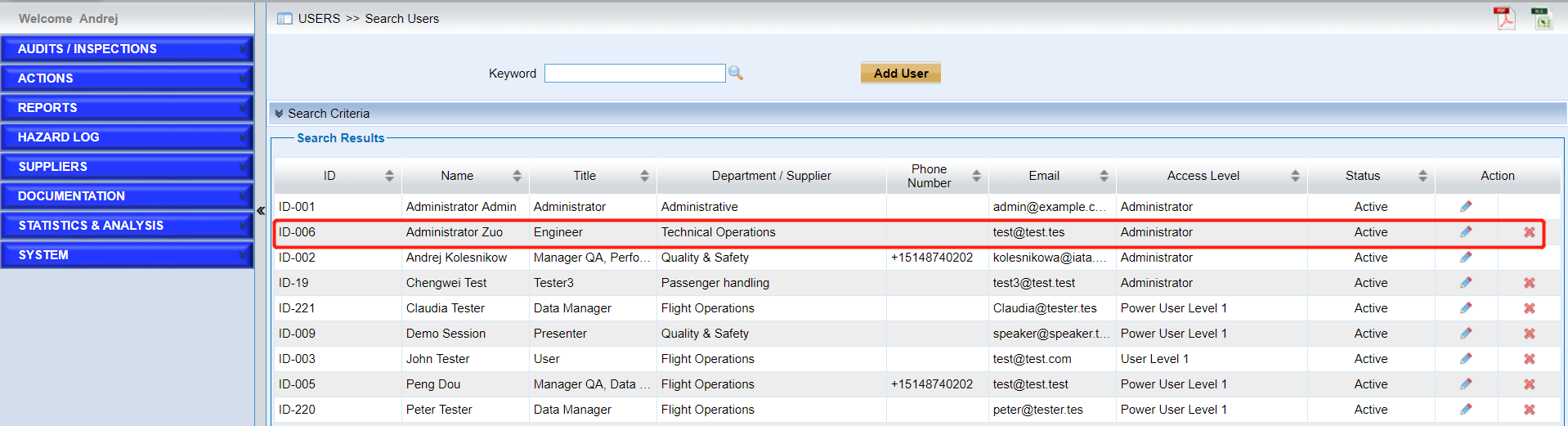
•Edit the basic information by clicking the icon  .
.
•In the “Permission” field, modify the password.
As we can see from the following screen,
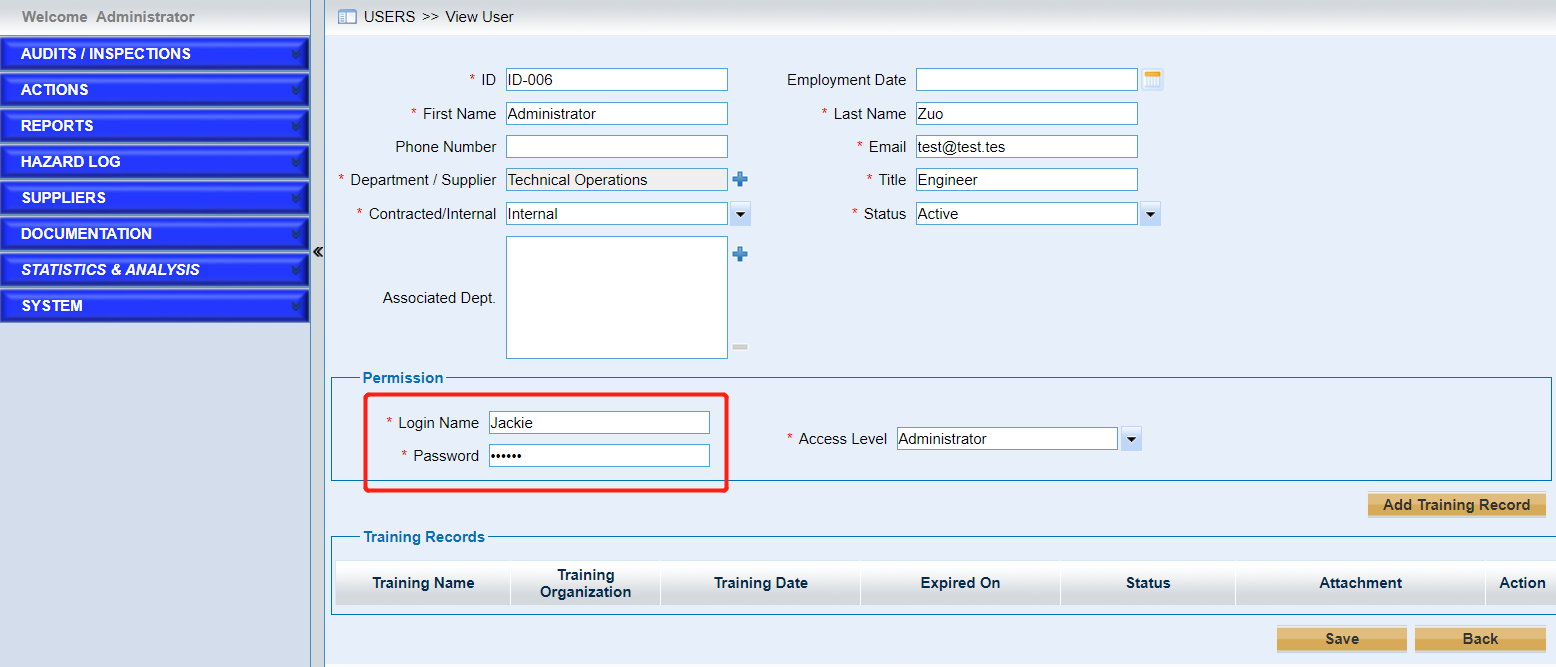
•Click the “Save” button and re-login the system.