Click the icon  on the right corner of header and the following screen will be displayed.
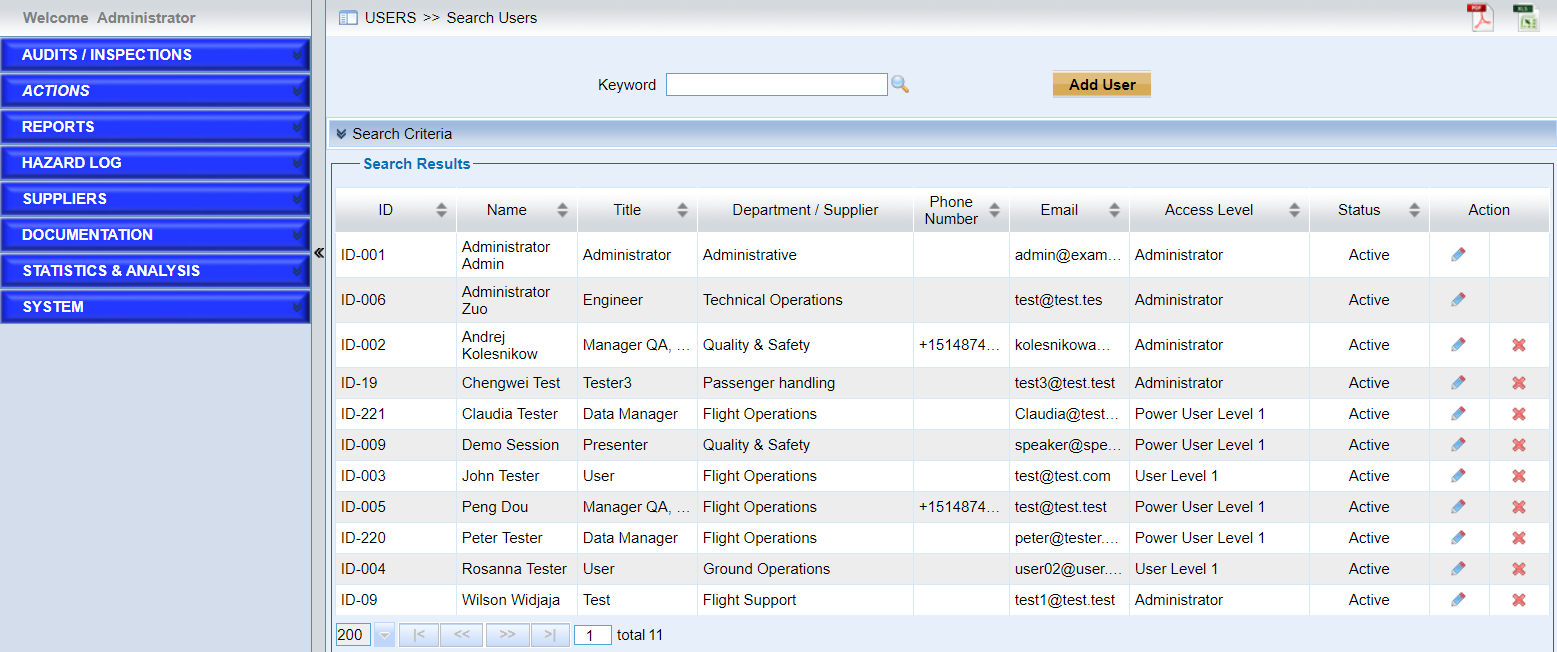
Click the “Add User” button to add new uses. As the following screen shows,
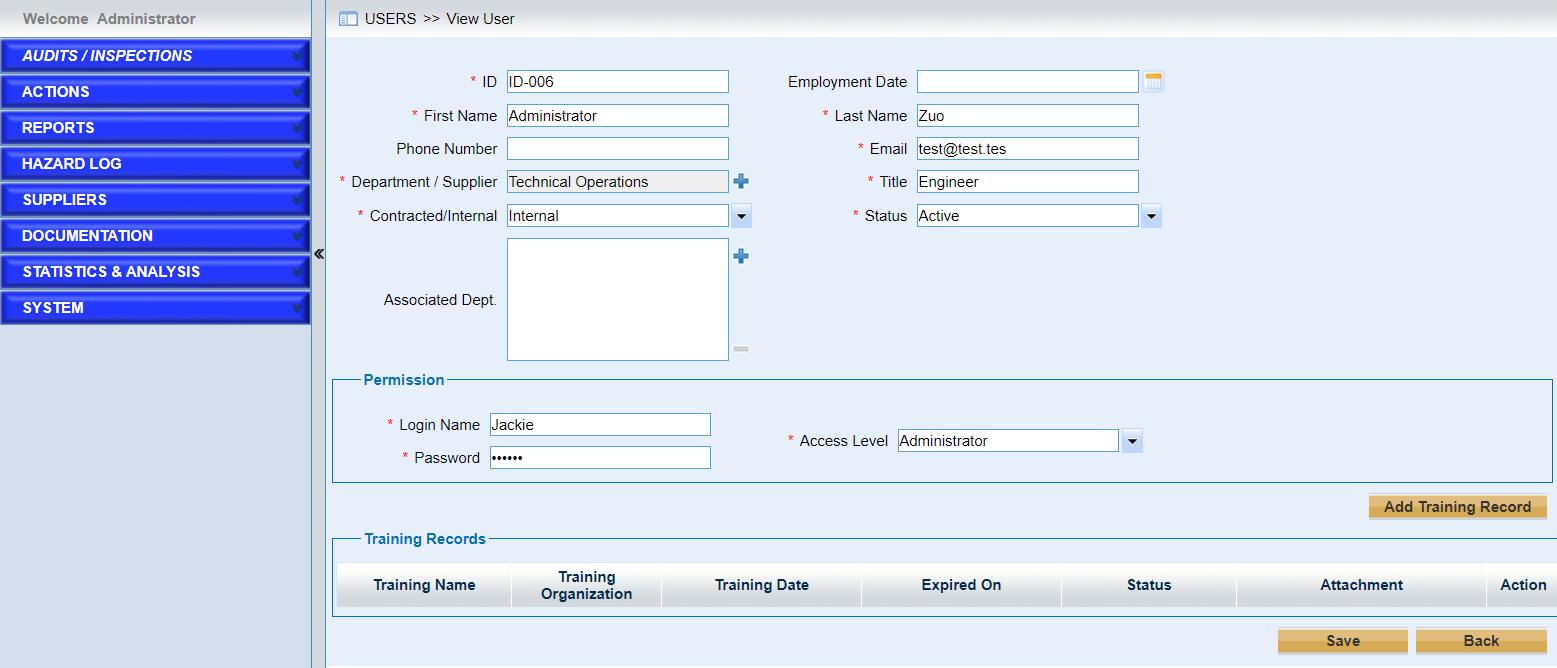
➢Fill out the fields.
Note |
⟡The field “Associated Dept.” allows users to add departments concerned. The records belongs to these departments will be listed if "My Department Only” is ticked. |
➢Configure the permissions.
➢Add Training Record.
Users can input the training record here.The system will identify the expired training record automatically based on the value of field “Expired On”.